How to Organize Tech Accessories in a Small Apartment Workspace
Organizing tech accessories in a small apartment workspace can get out of control faster than most people expect. Chargers, cables, adapters, headphones, external drives, webcams, dongles, styluses, power banks, and other small accessories are easy to pile on the desk, lose in drawers, or scatter across nearby shelves. The challenge is not just storing them somewhere. It is creating a system that keeps the things you use often easy to grab without letting the workspace feel cluttered all the time.
The good news is that tech accessories usually take up less space than they seem once they are grouped the right way. In most small apartments, the best setup comes from separating accessories by function, keeping everyday items closest to the desk, and using contained storage so loose tech does not spread into the rest of the room. With the right approach, even a compact workspace can feel much cleaner and easier to use.
For broader workspace organization strategies, explore our How to Organize a Small Apartment Home Office guide.
If cable mess is one of the biggest problems, check out How to Hide Cords and Cable Clutter in a Small Apartment.
For product options built to control desk clutter, browse Best Desk Organizers for Small Apartment Offices.
This guide is part of our Small Apartment Office Solutions collection.
Quick Answer
If you want to organize tech accessories in a small apartment workspace, the best approach is to separate accessories by category and store only the daily-use items within arm’s reach. In most workspaces, that means keeping chargers, cables, headphones, adapters, and smaller gear in grouped trays, bins, drawers, or desktop organizers so the desk stays usable without turning into a pile of loose tech.
A good tech-accessory setup usually works best when it includes:
- one clear place for daily-use accessories
- separate storage for chargers, cables, and smaller tech items
- contained storage instead of loose desk piles
- easy access to the accessories you actually use often
- a setup that is simple to reset after the workday
Why Tech Accessories Create Workspace Clutter So Fast
Tech accessories create clutter quickly because they are small enough to ignore but important enough to keep nearby. A charging cable on the desk does not look like a major problem by itself. The same goes for a pair of earbuds, a spare adapter, a webcam, or a portable drive. But once several of those items start collecting in the same workspace, the desk stops feeling clean very quickly.
This gets worse in a small apartment because the workspace usually has less room to absorb loose clutter. The desk may also be in a living room, bedroom, or shared corner instead of a dedicated office. That means even a little tech mess stands out more. A few cables and accessories can make the whole area feel busier than it really is.
That is why organizing tech accessories is about more than neatness. A cleaner setup makes the workspace easier to use. It also helps the room feel more intentional instead of looking like loose tech has spread into every available surface.
Start by Deciding Which Tech Accessories You Actually Use Regularly
One of the easiest ways to improve a small workspace is to stop treating every cable and accessory like it deserves prime desk space. In reality, most people use only a small portion of their tech gear every day.
Start by separating your accessories into daily-use items, occasional-use items, and backup extras. Daily-use items may include a phone charger, laptop charger, headphones, mouse, or webcam. Occasional-use items might include an HDMI adapter, a portable drive, or a second charging cable. Backup extras often include older chargers, spare dongles, duplicate cords, and tech you keep “just in case.”
This matters because the workspace should support your current routine, not your entire history of devices. When old or rarely used accessories take up the best storage, the items you actually need become harder to manage. A better system gives the most accessible space to the tools you really use and moves the rest into secondary storage.
Group Accessories by Function Instead of By Whatever Fits
A lot of desk clutter happens because accessories get stored wherever there is room instead of where they actually make sense. A charger ends up in one drawer, a webcam in another, earbuds in a cup on the desk, and adapters in a random basket. Technically everything is stored somewhere, but the workspace still feels messy and hard to use.
Grouping by function usually works much better. Charging gear should live together. Audio gear should live together. Computer accessories like a mouse, stylus, external drive, or webcam should share a zone. Writing tools can have their own small area instead of mixing with tech. Travel tech, backup cables, and less-used accessories should also be grouped instead of floating around separately.
This makes the workspace easier to reset because every category has a home. It also makes it easier to find what you need without rummaging through several places. In a small apartment workspace, that kind of simplicity makes a big difference.
Choose the Best Storage Type for Tech Accessories in a Small Workspace
The best storage type depends on how often you use the accessory and how much room the workspace actually has.
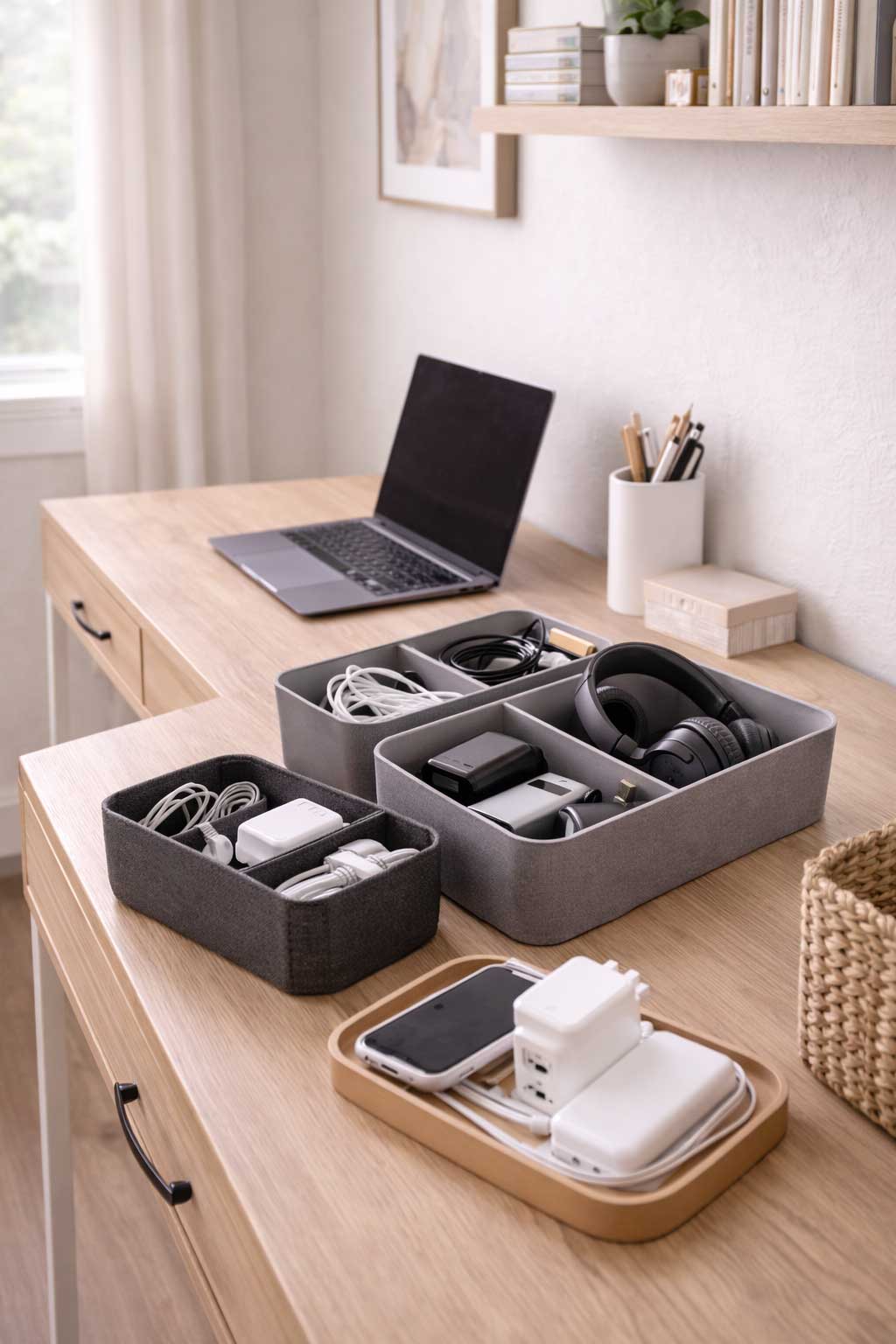
Desktop trays and holders work well for the items you reach for constantly. These are best for a small number of essentials, not every accessory you own. A single tray or compact organizer usually works better than several small containers spread across the desk.
Drawer organizers are a strong option for smaller accessories that need to stay close by but do not need to stay visible. Adapters, earbuds, flash drives, batteries, and spare charging blocks often fit well here as long as the drawer has some structure.
Cable boxes and grouped bins are especially helpful for chargers and cords. They help reduce tangling and keep cables from taking over the desktop or floor. These usually work best when active chargers and backup cables are separated instead of thrown together.
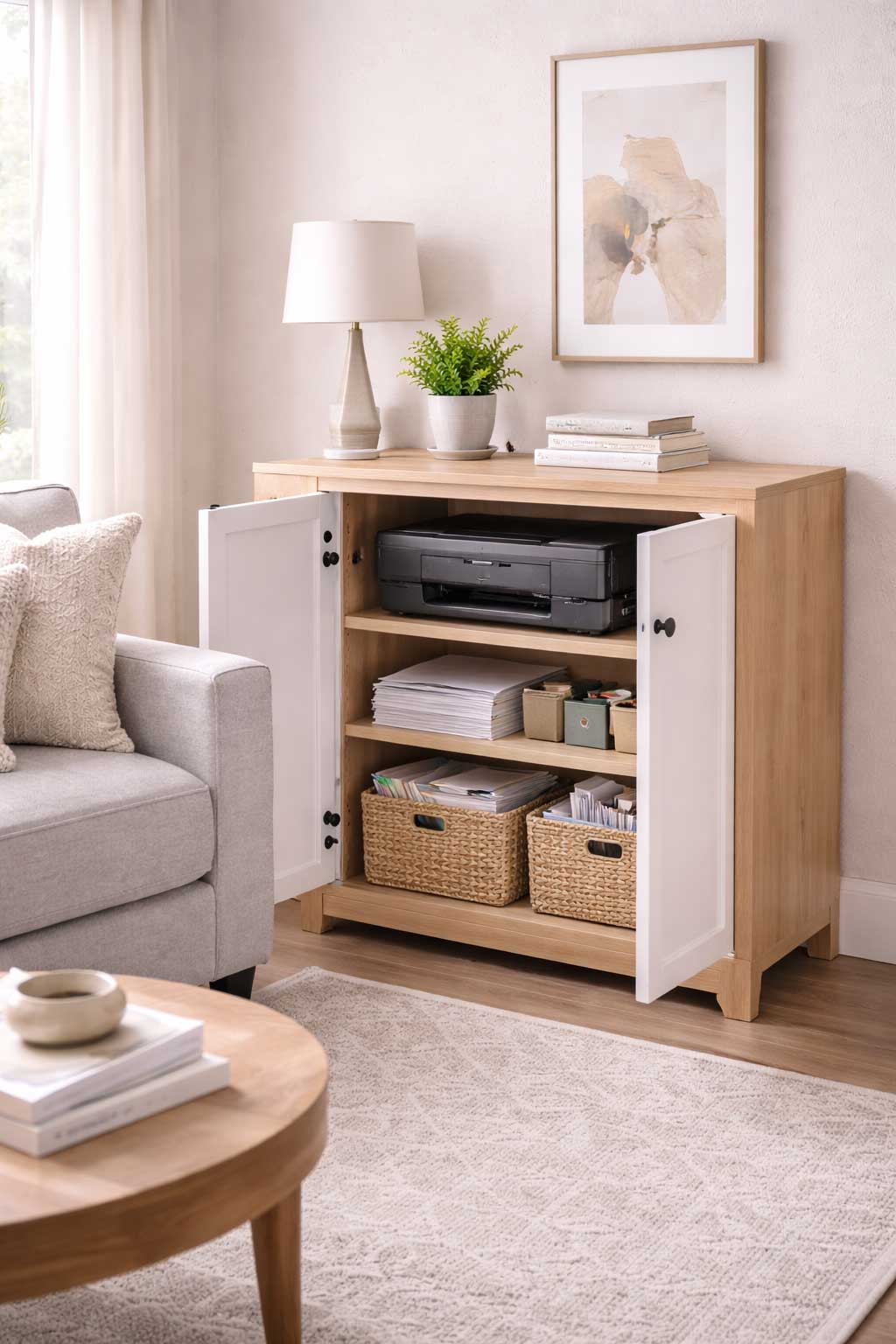
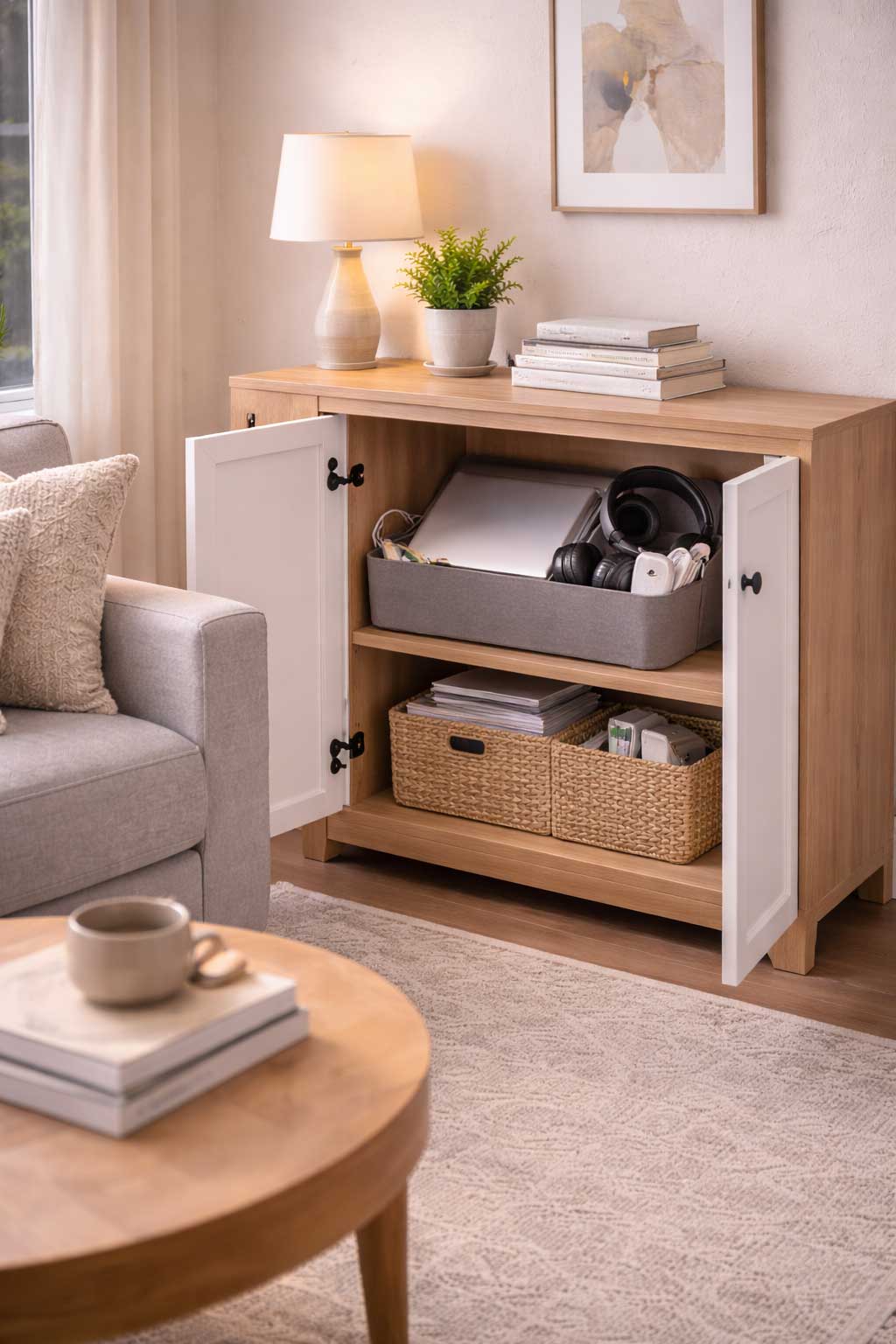
Shelf baskets are useful for less-used accessories that still need to stay nearby. This can work well in apartment offices where the desk has little built-in storage but a nearby shelf or cabinet is available.
Wall-adjacent or under-desk storage is often the best choice for accessories that do not need to stay on the desk at all. This keeps the work surface clearer while still making the gear easy to reach when needed.
The goal is to match the storage method to actual use. High-use items stay closest. Everything else should support the workspace without crowding it.
Best Tech Accessory Setups for Common Small Apartment Workspaces
If your desk is in a living room, visual control matters a lot more. In that kind of setup, the best system usually keeps daily-use accessories limited to one organizer on the desk and moves extra cables, chargers, and backup tech into a nearby drawer, basket, or cabinet. The fewer loose items that stay visible, the better the workspace usually blends into the room.
If your workspace is in a bedroom corner, it often helps to keep the desk especially tight and edited. Bedroom offices usually feel messier faster because tech clutter starts competing with personal clutter. In this kind of layout, grouped accessory storage near the desk usually works better than spreading items across a nightstand, dresser, and shelves.
If you use a laptop-based setup with minimal drawer storage, the best solution often comes from one strong desktop organizer plus one nearby bin or shelf basket for the overflow. The key is to avoid letting the lack of drawers turn the desktop into permanent storage.
If two people share the same workspace, structure matters even more. In shared setups, chargers, headphones, adapters, and smaller tools usually need either separate sections or clearly grouped categories so one person’s gear does not take over the whole area.
Keep the Desktop Clear So the Workspace Feels Easier to Use
The desktop is usually the first place a tech-accessory system fails. Once a charger, earbuds, a power bank, two adapters, and a random cable get left out, the work surface starts feeling smaller immediately. In a compact apartment workspace, that has an even bigger effect because the desk may already be narrow.
That is why the best desk setups keep only true daily-use items on the surface. Even those should usually be grouped in one tray, holder, or organizer instead of spreading across the whole desk. The more the desktop starts acting like storage, the less useful it becomes for actual work.
A clearer surface also makes the workspace feel more focused. It is easier to sit down and get started when you are not first dealing with a pile of loose accessories. In a small apartment, this kind of visual calm matters because the workspace often shares room with the rest of daily life.
If your setup needs stronger grouped storage inside the desk itself, browse Best Desk Drawer Organizers for Small Apartment Offices.
Manage Cables and Chargers Without Letting Them Take Over the Setup
Cables are often the messiest part of the whole system. They tangle easily, slide behind furniture, and take up more visual space than people expect. Chargers can create the same problem when too many stay plugged in at once or when active and backup cables get mixed together.
A better setup starts by separating active chargers from spare ones. The chargers you use daily should stay easy to access. Backup cords should be stored together in one contained zone instead of drifting around the desk. Grouping cables by device type can help too, especially if you regularly use more than one kind of charger or adapter.
This is also where cable control matters beyond the desk surface. If chargers trail across the side of the desk, behind the chair, or across nearby furniture, the whole workspace feels messier even when everything else is fairly organized. A contained setup with one defined place for active cables and one grouped place for extras usually works much better.
If cable clutter is still one of the biggest problems, take a look at Best Cable Management Kits for Small Apartment Offices.
If you need a cleaner place to contain grouped charging gear, check out Best Cable Boxes for Small Apartment Offices.
Store Less-Used Accessories Nearby Without Letting Them Spread Everywhere
Less-used accessories still matter, but they do not need to live on the desk. Spare adapters, extra cords, old peripherals, travel tech, backup batteries, and the tools you only use occasionally should stay nearby without occupying the most visible or valuable part of the workspace.
A drawer, nearby shelf basket, small cabinet, or one grouped bin usually works much better than letting these items float across multiple locations. The important part is keeping them close enough to find easily without treating them like everyday tools.
This is where many small workspaces improve the most. Once the lower-priority gear moves off the desktop and into one nearby support zone, the office feels cleaner immediately. It also becomes easier to tell what is actually part of the current work setup and what is just stored nearby for occasional use.
Mistakes to Avoid When Organizing Tech Accessories in a Small Workspace
One common mistake is keeping too many accessories on the desk just because they are small. Small items create clutter fast when they pile up. Another mistake is mixing every cable and adapter together in one drawer or basket, which usually makes it harder to find what you need.
Giving old or rarely used tech prime storage space is another easy way to make the workspace less functional. In a small apartment office, your best storage should go to what you use most often. Using too many tiny organizers can also backfire. Even organizing tools can become visual clutter if there are too many of them.
Another major mistake is letting chargers and cords spread beyond the workspace itself. Once cables and adapters start showing up on side tables, shelves, or other nearby surfaces, the office zone starts feeling much bigger and messier than it really is.
Products That Make Tech Accessories Easier to Organize in a Small Apartment Workspace
The best products are the ones that add structure without making the desk look busier. Some workspaces do best with one solid desktop tray and a drawer organizer below. Others need cable boxes, grouped shelf bins, or under-desk storage to keep the accessories from taking over the room.
The right setup depends on how much gear you use daily and how much hidden storage the workspace already has. In small apartment offices, the most effective accessory systems are usually the simplest ones. They keep the essentials close, keep the extras nearby, and make the desk easier to reset at the end of the day.
Final Thoughts on Organizing Tech Accessories in a Small Apartment Workspace
Tech accessories are one of the easiest things to let pile up in a small workspace, but they are also one of the easiest categories to improve once the setup has some structure. That usually means keeping daily-use items closest to the desk, grouping accessories by function, and moving the less-used gear into nearby contained storage.
The strongest systems usually come from a few smart choices: keep the desktop clear, control cables and chargers before they spread, and stop giving prime space to accessories you barely use. When those pieces come together, the workspace feels easier to use and much easier to keep clean.
The goal is not to hide every piece of tech. It is to make the tools you need easy to reach without letting loose accessories take over the whole setup.
FAQ
How do you organize tech accessories in a small workspace?
Organize tech accessories in a small workspace by separating them into clear categories, keeping only daily-use items near the desk, and using trays, drawers, bins, or grouped organizers to keep loose tech contained.
Where should chargers and cables go in a small apartment office?
Chargers and cables in a small apartment office usually work best in one grouped zone, such as a drawer organizer, cable box, or nearby bin, with daily-use chargers separated from backup cords.
How do you keep a desk from getting cluttered with tech accessories?
Keep a desk from getting cluttered with tech accessories by limiting what stays on the desktop, using one organizer for daily-use items, and moving spare gear into nearby contained storage.
What is the best way to store extra cords and adapters?
The best way to store extra cords and adapters is to group them by type or use and keep them in a labeled bin, drawer section, or cable organizer instead of mixing them loosely together.
How do you organize tech gear in a shared workspace?
Organize tech gear in a shared workspace by separating accessories by person or category, limiting how much stays visible, and giving chargers, headphones, adapters, and small devices clearly defined storage zones.